Applying transformers to columns
Why Column-Specific Transformers?
Different columns need different transformations:
StandardScalerworks only on numeric columnsOneHotEncoderworks only on categorical columns- Some columns need no transformation
Selection Operations
SelectCols and DropCols filter columns based on rules:
Selection Operations
Selection Operations
More advanced selection rules in the next chapter!
Applying Transformers to Columns
ApplyToCols applies a transformer to columns that can be selected by name, or according to specific rules.
| date | values | city_London | city_Paris | |
|---|---|---|---|---|
| 0 | 03 January 2023 | 10 | 0.0 | 1.0 |
| 1 | 04 February 2023 | 20 | 1.0 | 0.0 |
Example: ApplyToCols with a single column transformer
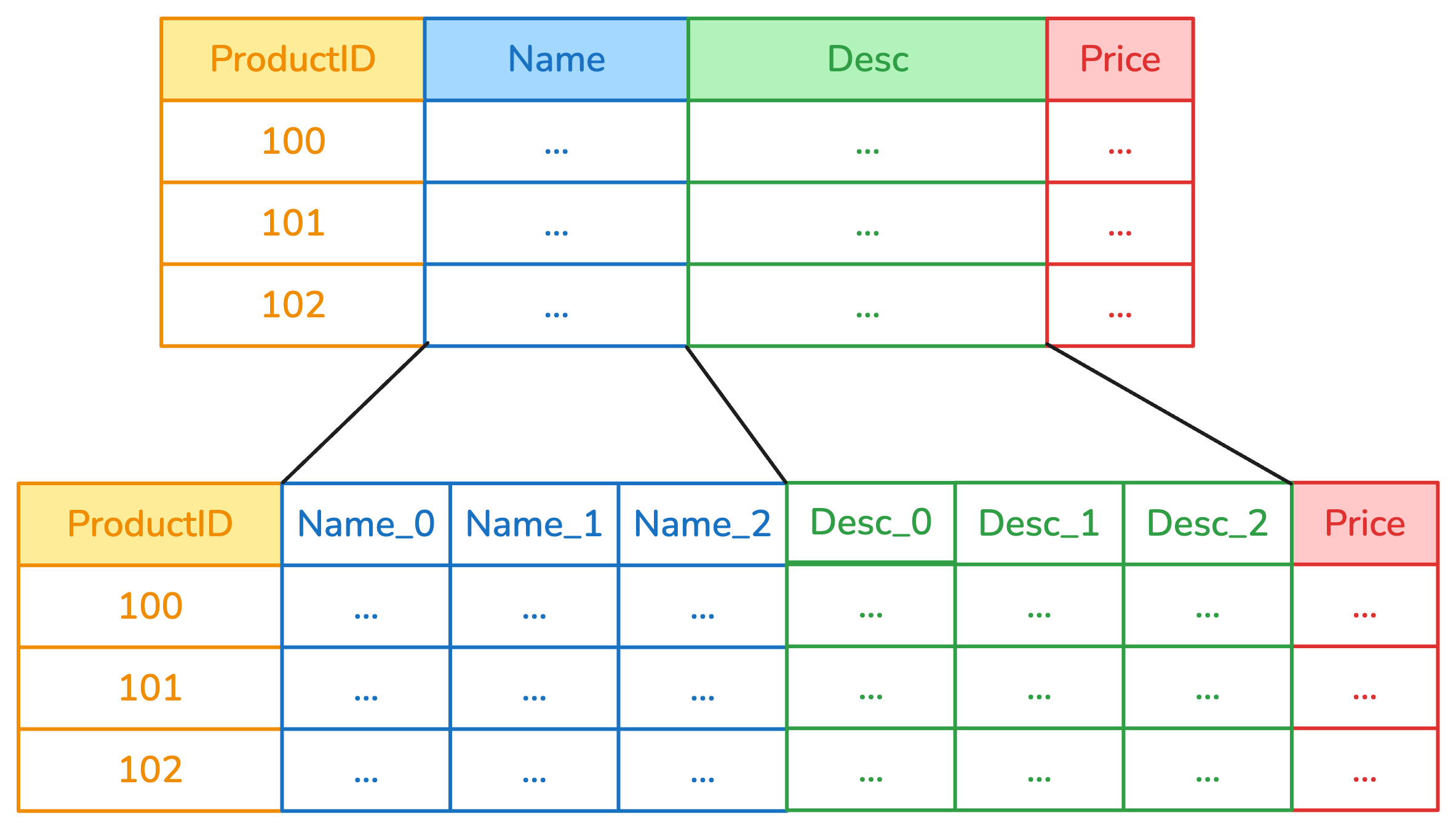
Example: ApplyToCols with a regular transformer
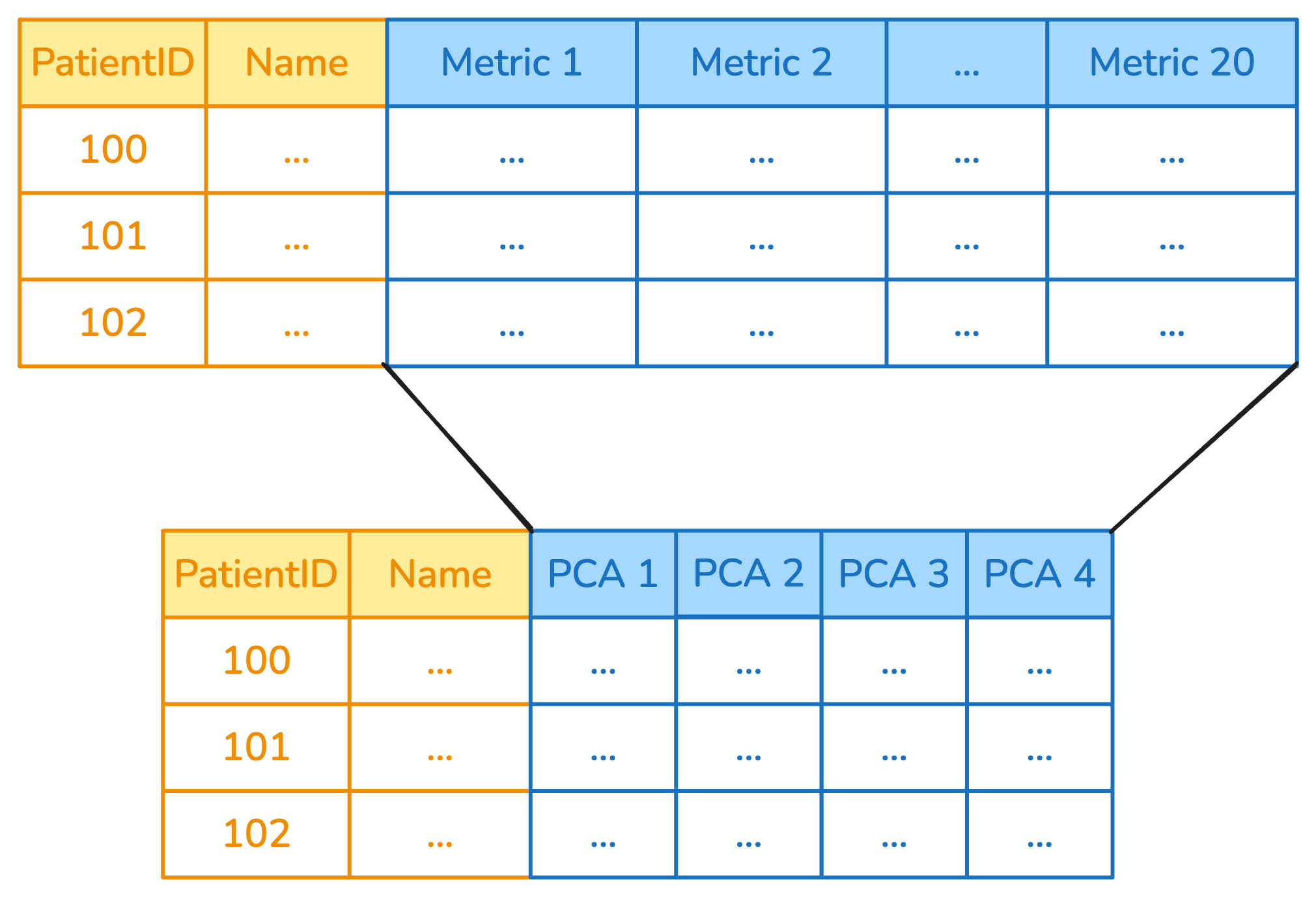
Exclude specific columns
For example, scale all numeric columns except for an integer ID.
| id | A | B | C | |
|---|---|---|---|---|
| 0 | 1000 | -10.0 | -10.0 | 19 |
| 1 | 2000 | 10.0 | 0.0 | 20 |
The allow_reject Parameter
When allow_reject=True, columns that can’t be transformed are passed through:
This is useful when you don’t know if a column may be rejected or not (common when parsing types).
The allow_reject Parameter
When allow_reject=False, columns that can’t be transformed raise an exception:
---------------------------------------------------------------------------
RejectColumn                              Traceback (most recent call last)
Cell In[8], line 4
      1 from skrub import ApplyToCols, ToDatetime
      2
      3 with_reject = ApplyToCols(ToDatetime(), allow_reject=False)
----> 4 result = with_reject.fit_transform(df)

File ~/work/skrub-tutorials/.pixi/envs/doc/lib/python3.14/site-packages/sklearn/utils/_set_output.py:316, in _wrap_method_output.<locals>.wrapped(self, X, *args, **kwargs)
    314 @wraps(f)
    315 def wrapped(self, X, *args, **kwargs):
--> 316     data_to_wrap = f(self, X, *args, **kwargs)
    317     if isinstance(data_to_wrap, tuple):
    318         # only wrap the first output for cross decomposition
    319         return_tuple = (
    320             _wrap_data_with_container(method, data_to_wrap[0], X, self),
    321             *data_to_wrap[1:],
    322         )

File ~/work/skrub-tutorials/.pixi/envs/doc/lib/python3.14/site-packages/skrub/_apply_to_cols.py:378, in ApplyToCols.fit_transform(self, X, y, **kwargs)
    363     raise TypeError(
    364         f"Invalid value for 'keep_original': {self.keep_original}. "
    365         "Expected a boolean."
    366     )
    368 self._wrapped_transformer = wrap_transformer(
    369     self.transformer,
    370     cols=self.cols,
   (...)    376     columnwise="auto",
    377 )
--> 378 X_transformed = self._wrapped_transformer.fit_transform(X, y, **kwargs)
    380 self.all_inputs_ = self._wrapped_transformer.all_inputs_
    381 self.used_inputs_ = self._wrapped_transformer.used_inputs_

File ~/work/skrub-tutorials/.pixi/envs/doc/lib/python3.14/site-packages/sklearn/utils/_set_output.py:316, in _wrap_method_output.<locals>.wrapped(self, X, *args, **kwargs)
    314 @wraps(f)
    315 def wrapped(self, X, *args, **kwargs):
--> 316     data_to_wrap = f(self, X, *args, **kwargs)
    317     if isinstance(data_to_wrap, tuple):
    318         # only wrap the first output for cross decomposition
    319         return_tuple = (
    320             _wrap_data_with_container(method, data_to_wrap[0], X, self),
    321             *data_to_wrap[1:],
    322         )

File ~/work/skrub-tutorials/.pixi/envs/doc/lib/python3.14/site-packages/skrub/_apply_to_each_col.py:318, in ApplyToEachCol.fit_transform(self, X, y, **kwargs)
    316 parallel = Parallel(n_jobs=self.n_jobs)
    317 func = delayed(_fit_transform_column)
--> 318 results = parallel(
    319     func(
    320         sbd.col(X, col_name),
    321         y,
    322         self._columns,
    323         self.transformer,
    324         self.allow_reject,
    325         kwargs,
    326     )
    327     for col_name in all_columns
    328 )
    329 return self._process_fit_transform_results(results, X)

File ~/work/skrub-tutorials/.pixi/envs/doc/lib/python3.14/site-packages/joblib/parallel.py:1986, in Parallel.__call__(self, iterable)
   1984     output = self._get_sequential_output(iterable)
   1985     next(output)
-> 1986     return output if self.return_generator else list(output)
   1988 # Let's create an ID that uniquely identifies the current call. If the
   1989 # call is interrupted early and that the same instance is immediately
   1990 # reused, this id will be used to prevent workers that were
   1991 # concurrently finalizing a task from the previous call to run the
   1992 # callback.
   1993 with self._lock:

File ~/work/skrub-tutorials/.pixi/envs/doc/lib/python3.14/site-packages/joblib/parallel.py:1914, in Parallel._get_sequential_output(self, iterable)
   1912 self.n_dispatched_batches += 1
   1913 self.n_dispatched_tasks += 1
-> 1914 res = func(*args, **kwargs)
   1915 self.n_completed_tasks += 1
   1916 self.print_progress()

File ~/work/skrub-tutorials/.pixi/envs/doc/lib/python3.14/site-packages/skrub/_apply_to_each_col.py:440, in _fit_transform_column(column, y, columns_to_handle, transformer, allow_reject, kwargs)
    438 allowed = (RejectColumn,) if allow_reject else ()
    439 try:
--> 440     output = transformer.fit_transform(transformer_input, y=y, **kwargs)
    441 except allowed:
    442     return col_name, [column], None

File ~/work/skrub-tutorials/.pixi/envs/doc/lib/python3.14/site-packages/skrub/_single_column_transformer.py:273, in _wrap_add_check_single_column.<locals>.fit_transform(self, X, y, **kwargs)
    270 @functools.wraps(f)
    271 def fit_transform(self, X, y=None, **kwargs):
    272     X = self._check_single_column(X, f.__name__)
--> 273     return f(self, X, y=y, **kwargs)

File ~/work/skrub-tutorials/.pixi/envs/doc/lib/python3.14/site-packages/skrub/_to_datetime.py:402, in ToDatetime.fit_transform(***failed resolving arguments***)
    400 datetime_format = self._get_datetime_format(column)
    401 if datetime_format is None:
--> 402     raise RejectColumn(
    403         f"Could not find a datetime format for column {sbd.name(column)!r}."
    404     )
    406 self.format_ = datetime_format
    407 try:

RejectColumn: Could not find a datetime format for column 'city'.
Transformer ToDatetime.fit_transform failed on column 'city'. See above for the full traceback.
Build your own SingleColumnTransformer
Consider an example like this:
| sent | received | |
|---|---|---|
| 0 | AB123 | AB145 |
| 1 | BD601 | DU393 |
| 2 | HS014 | WB988 |
Given a code like AB123, we want to separate the first two letters from the digits.
Build your own SingleColumnTransformer
The SingleColumnTransformer allows to define a transformer with custom rules, while RejectColumn gives control over the behavior in presence of invalid inputs.
from skrub.core import RejectColumn, SingleColumnTransformer

class ZipcodeParser(SingleColumnTransformer):
    def fit_transform(self, X, y=None):
        col_name = X.name
        if any(X.map(len) != 5):
            raise RejectColumn("This transformer only takes zip codes of length 5.")
        else:
            # extract the first two characters
            letters = X.map(lambda s: s[:2])
            try:
                # extract the last 3 characters and try to convert to int
                numbers = X.map(lambda s: int(s[2:]))
            except:
                raise RejectColumn(
                    "Input zip codes must consist of two letters followed by three numbers."
                )
            return pd.DataFrame(
                {f"{col_name}_letters": letters, f"{col_name}_numbers": numbers}
            )
Build your own SingleColumnTransformer
Chaining Transformers
Use scikit-learn pipelines to concatenate multiple transformers, even when wrapped in ApplyToCols:
Tip
Remember that columns that are not selected pass through without any change.
Order Matters!
Transformers should be ordered carefully:
# Encode first, then scale
transform_1 = make_pipeline(
    ApplyToCols(OneHotEncoder(sparse_output=False), cols=s.string()),
    ApplyToCols(StandardScaler(), cols=s.numeric())
)

# vs. Scale first, then encode
transform_2 = make_pipeline(
    ApplyToCols(StandardScaler(), cols=s.numeric()),
    ApplyToCols(OneHotEncoder(sparse_output=False), cols=s.string())
)
What we have seen in this chapter
SelectCols/DropCols: Filter columns with thecolsparameterApplyToCols: Apply a transformer to columns selected withcols, exclude withexclude_colsSingleColumnTransformer: Create a transformer with custom rulesallow_reject: Reject columns that cannot be treated- Chain transformers with scikit-learn pipelines